Reflective materials in Block Game
Over the holidays I implemented a system for reflective materials in Block Game. Here I’ll go over roughly how it works. I originally intended for this post to be a deep dive, but then I realized that the nitty gritty on this one just isn’t that interesting. Or at least, I’m just not that interested in doing a deep dive on it so this one will stay fairly high level.
Anyway, it all started when I got introduced to matcaps over on Mastodon. Matcaps are a neat way to add texture to a model without texturing it. You obtain, via photograph, 3D render, or even freehand painting, a spherical map of a material. Then, you apply it to an object by sampling the sphere based on where the normal is pointing using the view space x and y coordinates. And that, I thought, was pretty rad.
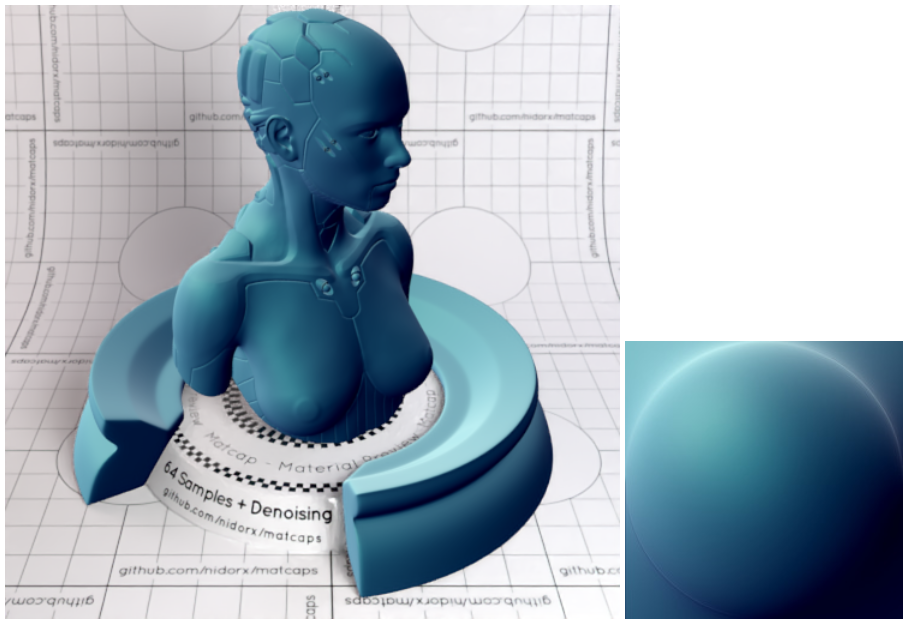
This works because when you look at an object in view space, none of the normals will be pointing away. They’ll either be pointing sideways or nominally at the camera. So half a sphere is all you need.
And I thought to myself: hey, I’ve used the spherize filter in Photoshop to make spheres out of squares. And I also thought to myself: hey, if I flip the camera around and render the scene with a high field of view into a square texture, then I could spherize that and use it as a matcap for reflective materials!
Is this the right way to do reflective materials? Absolutely not. Does it work? Yes, sometimes very well and occasionally not so good.
The first thing I had to do was figure out how to mimic the spherize filter in a shader. I found this shadertoy which worked great and then set out to optimize it a little bit. In the process I came up with a formula that matches the asin function extremely well and a bunch of maths people on Mastodon had a lovely chat about it which I didn’t understand. You can find the whole HLSL shader include file on Github.
Then I had to render the back view. I just render it to a chunk render distance of 1. You don’t need much!
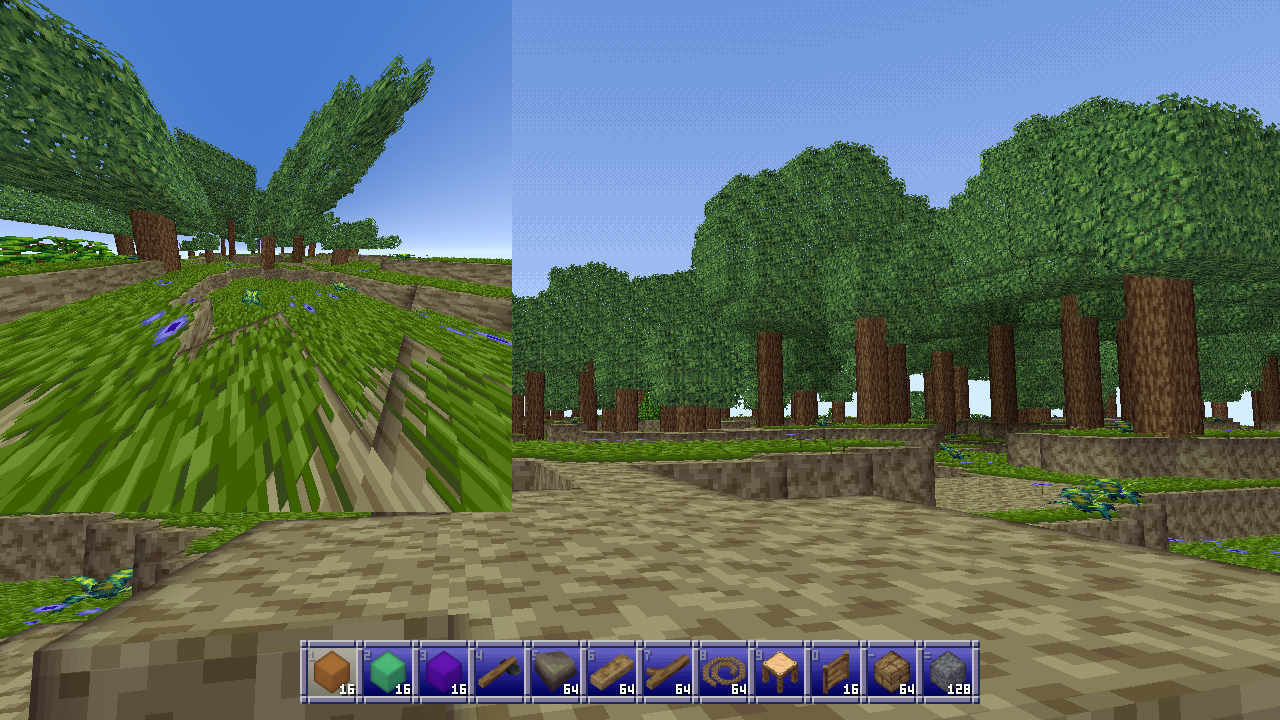
That gives me reflections, but I need a few other things to make the material shine (pardon the pun):
- The color of the material (for metallics, though I added dielectrics later)
- A roughness value which is used to blur the reflections
- A matcap image to overlay on top of the reflections
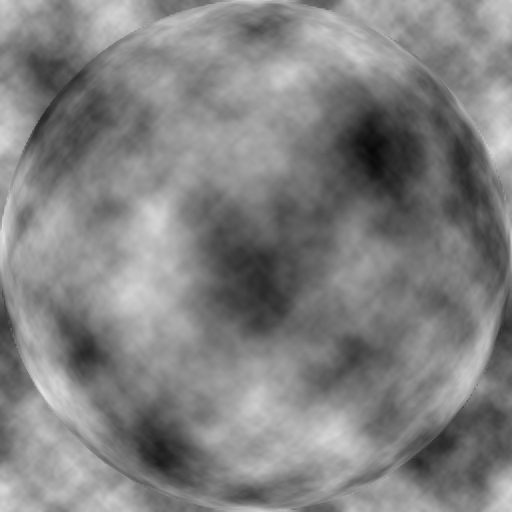
For example, the gold material I started testing with has a linear color of (1.059, 0.773, 0.307) which I got from the PBR values database, a roughness of 0.125, and the following matcap:
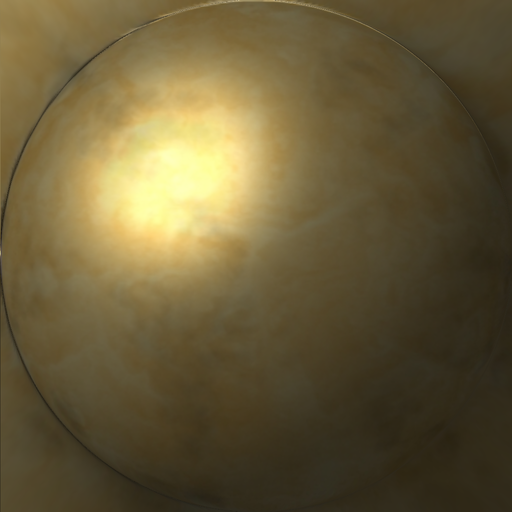
Before I touch any of that though, I have to make a modification to how matcaps work to make all this work. Instead of using the surface normal I actually have to use the reflected ray in view space. If I didn’t do that a flat surface would all reflect the same pixel from the environment map which isn’t desirable.
Unfortunately this did cause some issues with some geometry where the axes of reflection would flip around straight to the other side, which I never figured out but believe to be issues with normal smoothing on my very low-poly geometry.
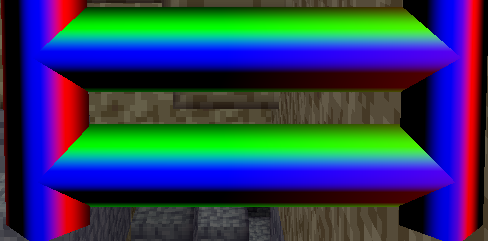
I found out that I could eliminate these issues by averaging the reflected ray with the normal. This does mean the rays aren’t accurate anymore, but they’re still convincing enough and it fixed my issue. ¯\_(ツ)_/¯
Once I have the reflected ray, I do the following:
- De-spherize the target location for my environment map (a strength of -1) because I want to go from the spherical coordinates I have to the flat environment map I have.
- Get a blurred sample of the environment map and color that, with blurring and coloring based on roughness and material color.
- Mix the matcap over the reflections using a formula similar to Photoshop’s hard light blend mode, which screens the bright portions and multiplies the dark portions.
Blurring is done via a stochastic blue noise blur which I stole (with permission) from Alan Wolfe aka demofox (Mastodon, Bluesky) who is the master of all things blue and noisy. It works great and can be done with as little as a single sample, although averaging 2, 3 or 4 samples does look nicer. This means I don’t need to pre-blur the environment map for materials with different roughness which is great.
(Yes I know about tex2Dlod and tex2Dbias and no, it did not look nearly as good.)
I mix the matcap using a HardLightScaleBright function which allows me to scale how strong the screen effect is, because it’s weird to get a super bright specular in a mostly dark environment. To get scene luminance I just sample the highest mipmap level of my environment map to get the averaged color, then get the maximum of the RGB channels, and multiply by 2 before using it with said function which looks like this:
float3 HardLightScaleBright(float3 cBase, float3 cBlend, float brightScale) {
    float3 multColor = 2.0 * cBase * cBlend;
    float3 screenColor = 1.0 - 2.0 * (1.0 - cBase) * (1.0 - cBlend);
    screenColor = lerp(cBase, screenColor, brightScale);

    return lerp(multColor, screenColor, step(0.5, cBlend));
}
Then I blend the reflected environment/material color with the diffuse texture map, even though metallic things shouldn’t have a diffuse color, just so the diffuse texture can add some, well, texture:
HardLight(1 - pow(1 - ColorToLuminanceLinear(diffuse.rgb), 5), envColor)
In order to not make the material too dark I power up the reverse of the diffuse luminance to brighten everything up, then reverse it again, then blend the material color using regular hard light blending.
Finally I do a single sample blue noise jitter to blur sampling around the edges of the matcap image specifically, because otherwise the edges can create some artifacts as well. I also scale the sample location inwards towards the center ever so slightly for similar reasons on the environment map.
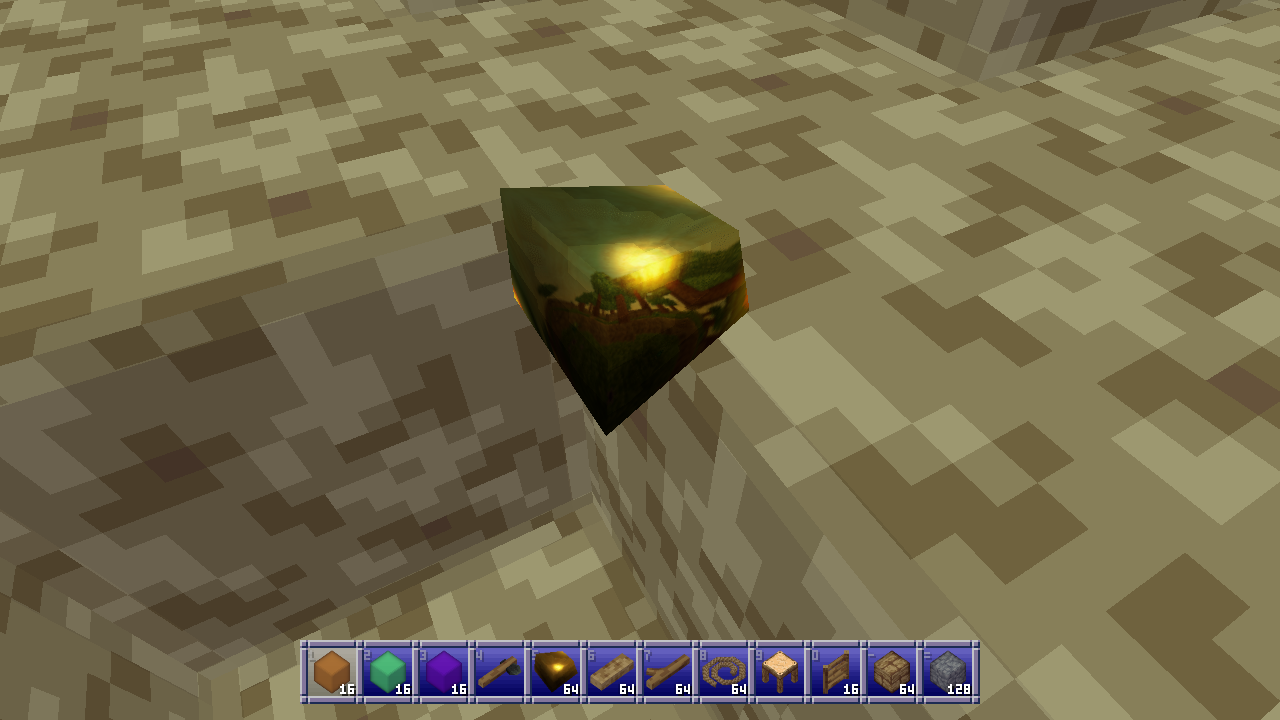
And here’s what that looks like on a piece of flint. It looks just like a Christmas ornament! :D
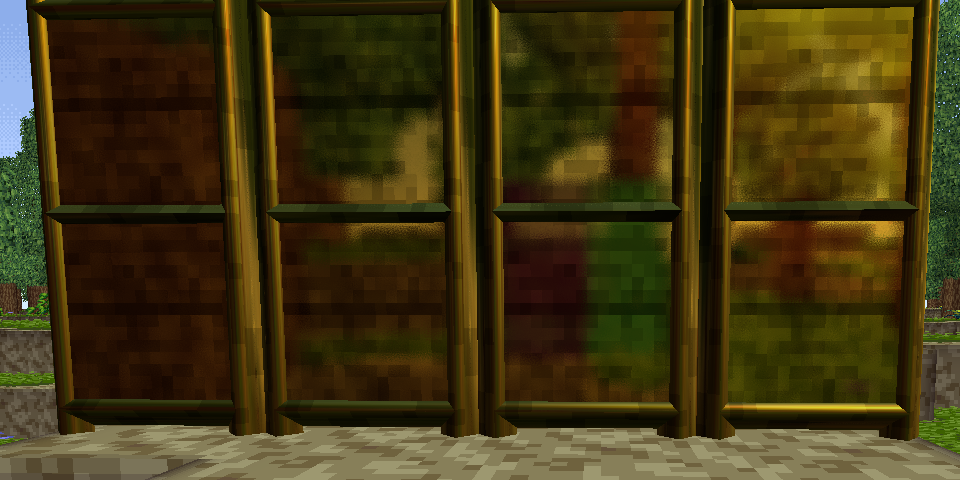
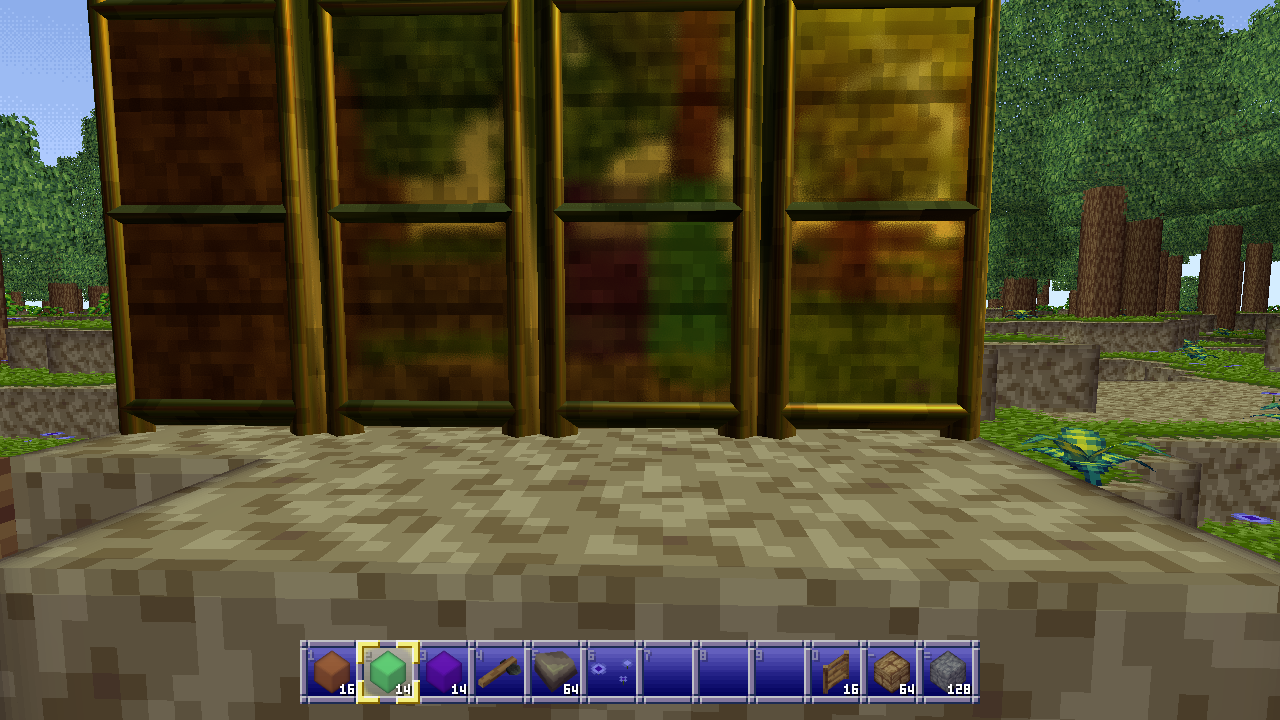
It also creates some pretty neat head-on reflections of what’s behind you. Like here, where I placed a couple transparent purple and green blocks behind me which you can see in the center of the screen in the reflection on these golden doors.
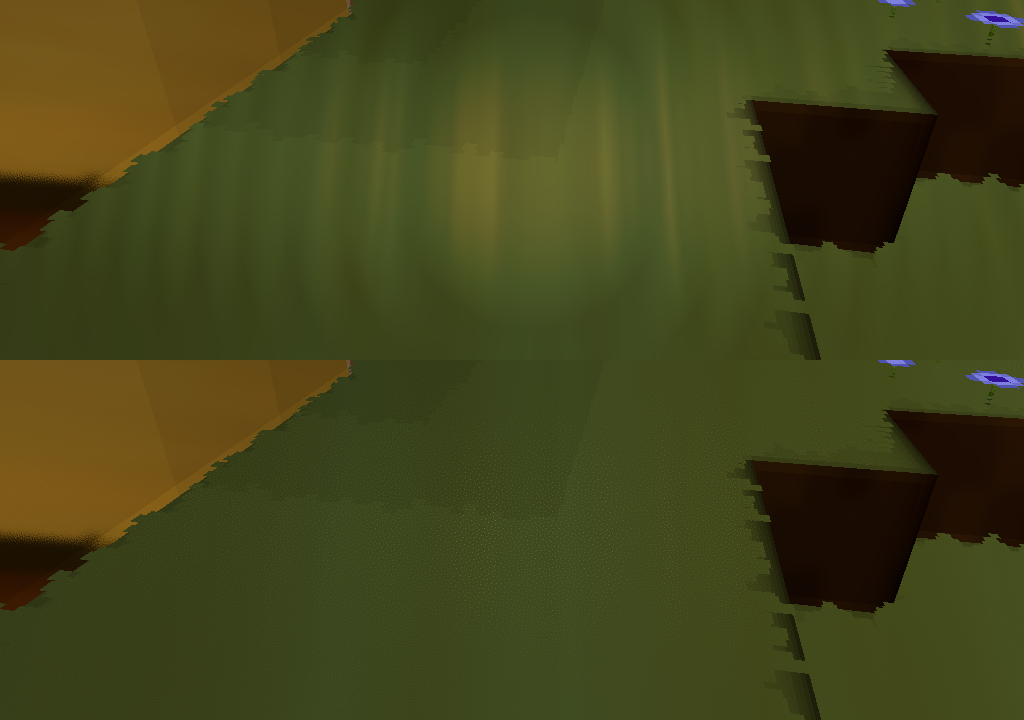
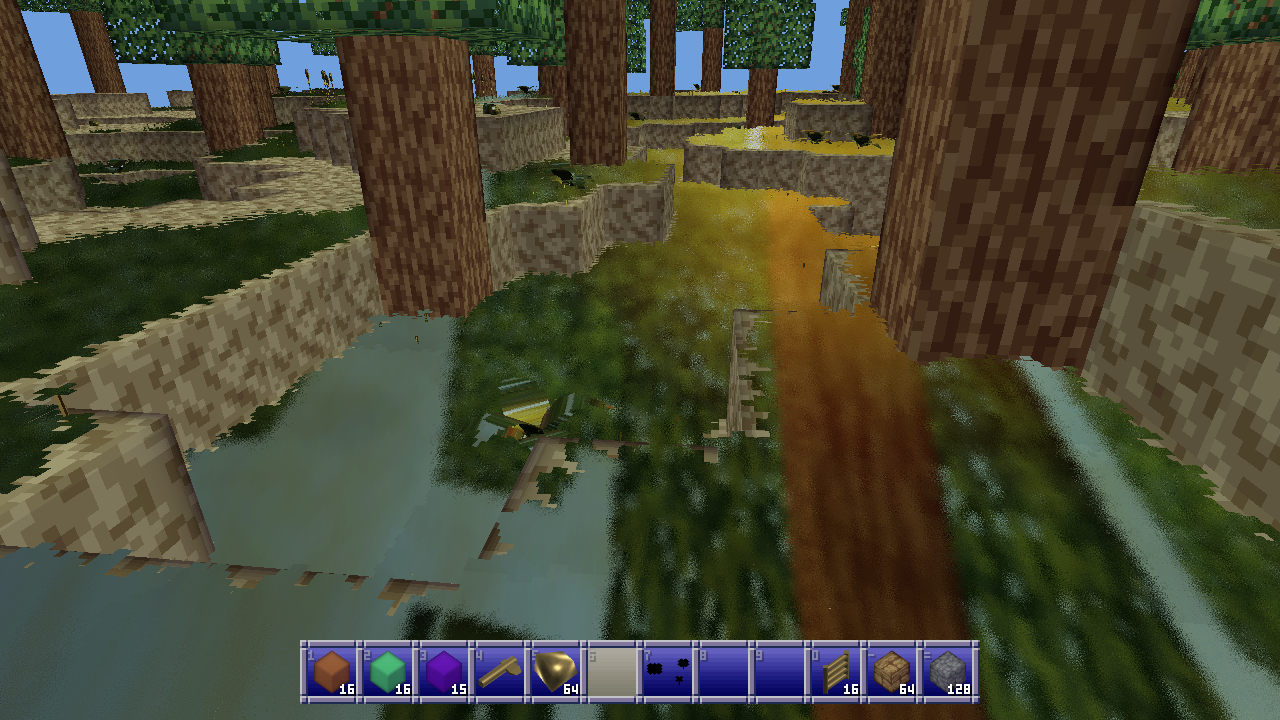
Unfortunately it doesn’t work great for especially ground plane type stuff. In this example I’ve turned the grass gold, and because most rays are reflecting off into the distance rather than back at the camera the reflections are all wrong for most typical viewing angles. Unless you look directly at your feet, but I suspect most players won’t spend most of their time doing that.
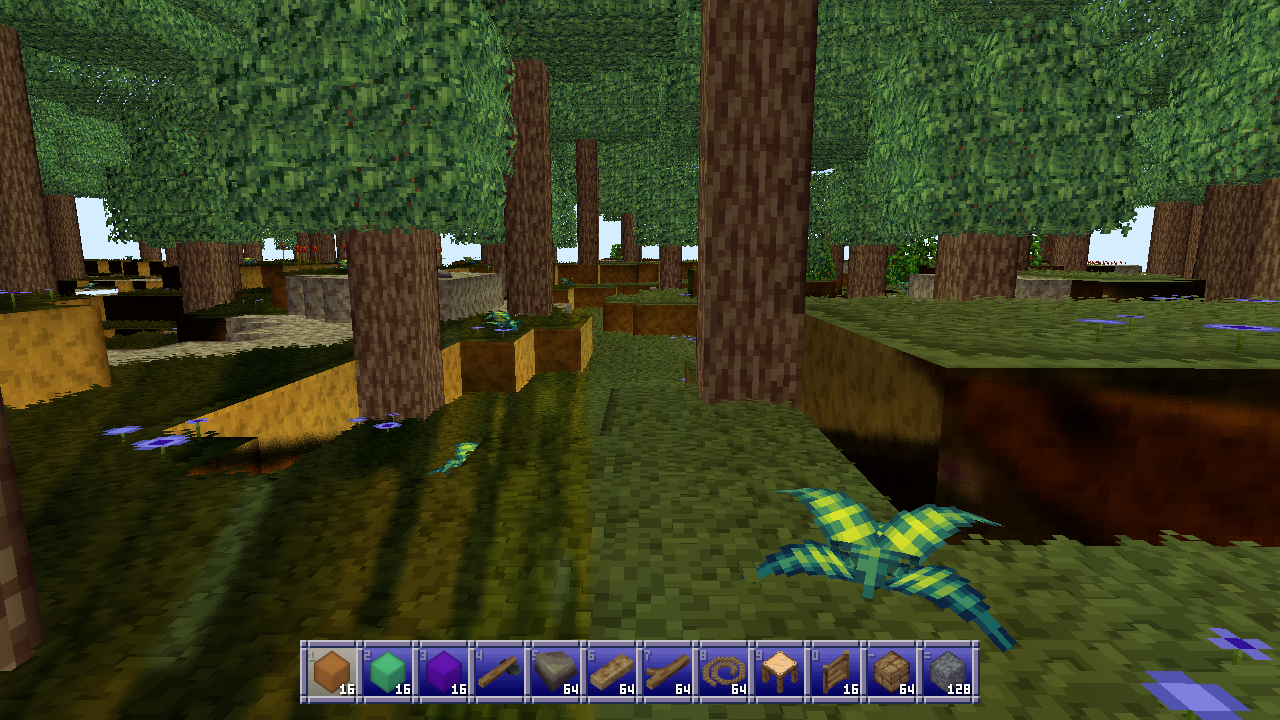
Still for objects that aren’t mostly large flat planes I think this technique works great and I’m very happy with the result.
I did eventually add dielectrics (nonmetallic materials) and I’ll go over how I tweak my method for those, but I’m not 100% happy with the results yet so take these with a grain of salt.
For dielectrics instead of multiplying the reflections by the material color (there should be none since dielectrics have their own diffuse color) I desaturate the reflections from the environment map by averaging the maximum of the RGB values and the actual color, which also makes them a bit brighter which is nice.
When blending the reflections for dielectrics I just screen blend them over the diffuse color based on some power of the inverse roughness. That is to say, the higher the roughness, the lower the value I multiply the reflection color by, which decreases how much the screen blending blends it into the diffuse color.
This gives it a nice plasticky look that I think works pretty well.
Anyway here’s an assortment of objects with metallic and dielectric materials applied.
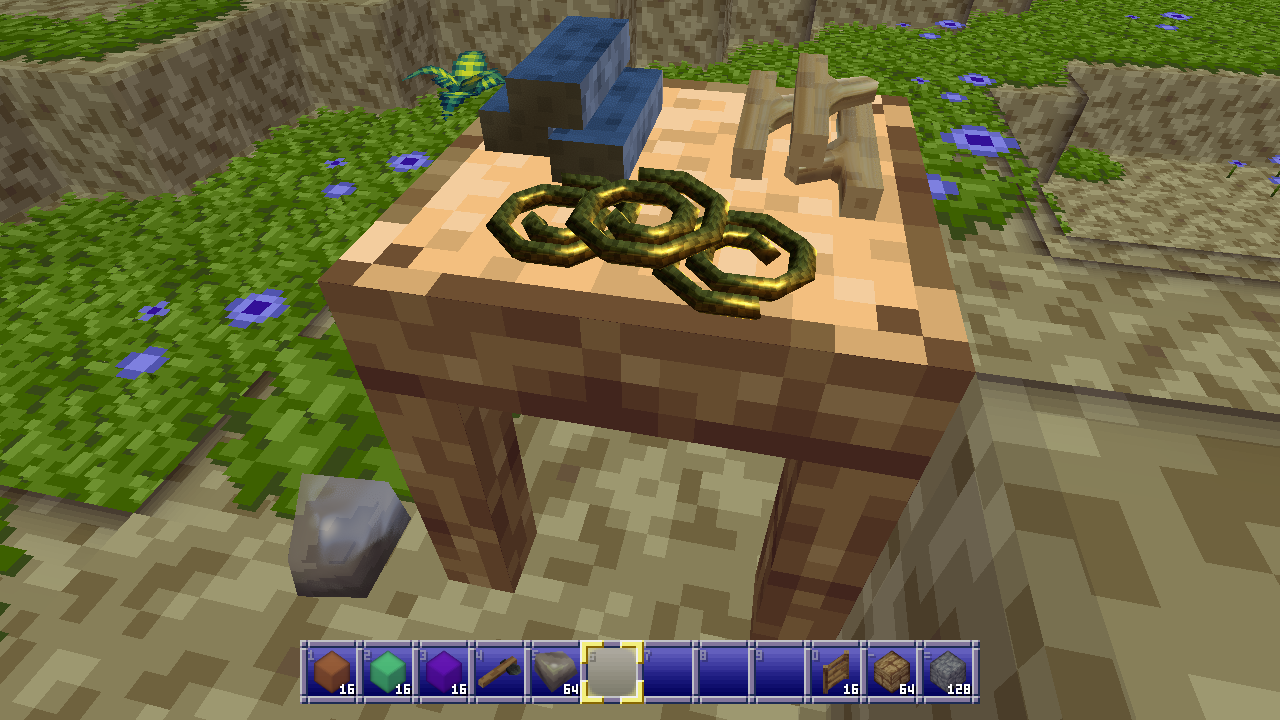
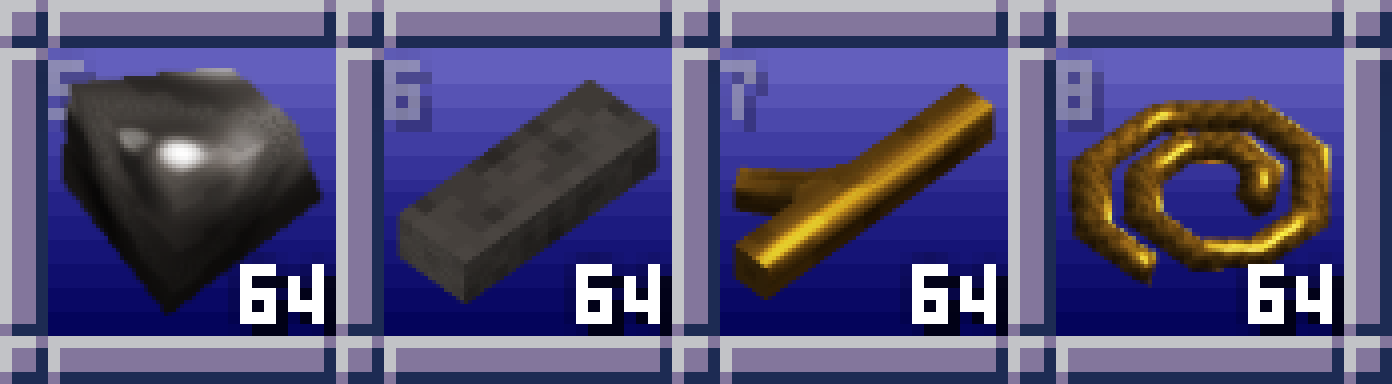
As a happy added bonus of this approach, on weaker systems the reflections can be disabled which skips most steps for extra performance and just uses the matcap image verbatim. That way reflective materials will still look correct. This also happens when I pre-render item icons:
I did also try to generate a front environment map, even compositing the previous frame into it, but the incongruity where the two half-spheres don’t quite meet made everything feel much worse plus it didn’t really help anyway. At some point I’ll probably wind up mixing these with screen-space reflections or something since SSR doesn’t really handle camera facing reflections.
Anyway, I don’t know if this is a good way to handle things but it’s an idea that popped into my head and I quite like the results. I also have some neat ideas for creating flat material textures and then moving a sphere across them using the spherize shader to create dynamic matcaps for special effects, but I haven’t played around with that yet. If you wind up playing with this before I do, show me how it looks!
If you’ve enjoyed this post, give the Block Game site a look. It has some screenshots, an FAQ, and a development feed. Also consider following me on Mastodon @eniko@mastodon.gamedev.place, or on Bluesky at @enikofox.com.
You should also read:
Software occlusion culling in Block Game
My GPU is the integrated Radeon Vega 8 that comes with my AMD Ryzen 7 5700G CPU. I tell you this so you know that my workstation is not a graphical computing powerhouse. It is, in fact, quite weak. To its credit my integrated GPU shows up as 48% faster on UserBenchmark than the GPU in my low end hardware target; a laptop I bought in 2012.
(Side note: I’m aware of accusations of inaccuracy surrounding UserBenchmarks, but it’s not that serious. I just think it’s funny that an iGPU I picked up recently doesn’t compare more favorably to a 14 year old laptop GPU that wasn’t considered that great even at the time.)
That, and the fact I want my game to run well even on a potato, is why I recently decided to try my hand at writing a software rendered occlusion culling solution for the Block Game (working title) I’m developing as I’ve always been interested in the idea. Blocks and chunks are axis aligned cubes, which makes things easier, and block games tend to have a ton of hidden geometry in the form of underground caves. There are other ways to cull these, but the algorithms tend to be fairly complex and this seemed like a good way to avoid that complexity and stick with something very conceptually simple.
In this post I’ll be explaining the development process and the solution that I eventually landed on. If you like you can also read the development thread I posted on Mastodon and Bluesky.
Before I start though I’d like to say that this came out quite well, better than I expected. It runs in half a frame at 60 FPS or less (threaded, of course) and generally culls at least 50% of the chunks that survive frustum culling. Above ground, looking straight ahead at the horizon it’ll cull around between 50 and 60% of chunks, but indoors and below ground in caves it can cull upwards of 95% of chunks, resulting in framerates of 400+ even on my weak system. All around a resounding success, though it has some cases where it breaks down which I’ll touch on at the very end of this post.